
Subnets
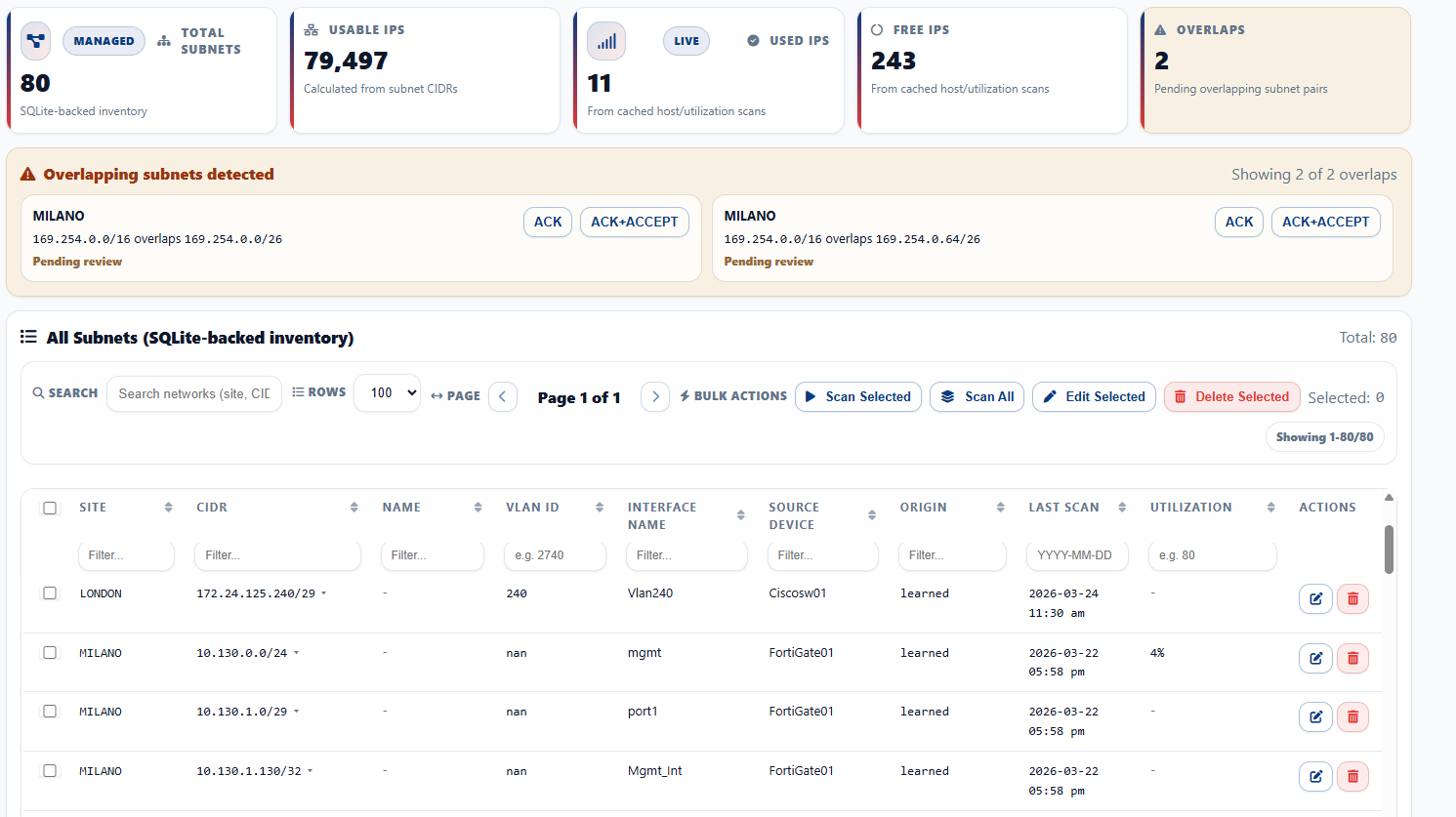
The main workspace for reviewing managed ranges, spotting overlap risk, and organizing subnet-related operations.
This guide covers IP addressing, discovery, topology, inventory, SNMP and ping monitoring, CPU and memory alerting, configuration backup, configuration version comparison, governance, maintenance, and access protection.
IPAManager is positioned as a customer-facing on-prem administration platform for day-to-day network operation. The product scope centers on structured IP address management, subnet oversight, discovery review, topology context, inventory governance, SNMP and ping monitoring, CPU and memory alerting, configuration backup, version comparison, access control, and system maintenance.
The main workspace for reviewing managed ranges, spotting overlap risk, and organizing subnet-related operations.
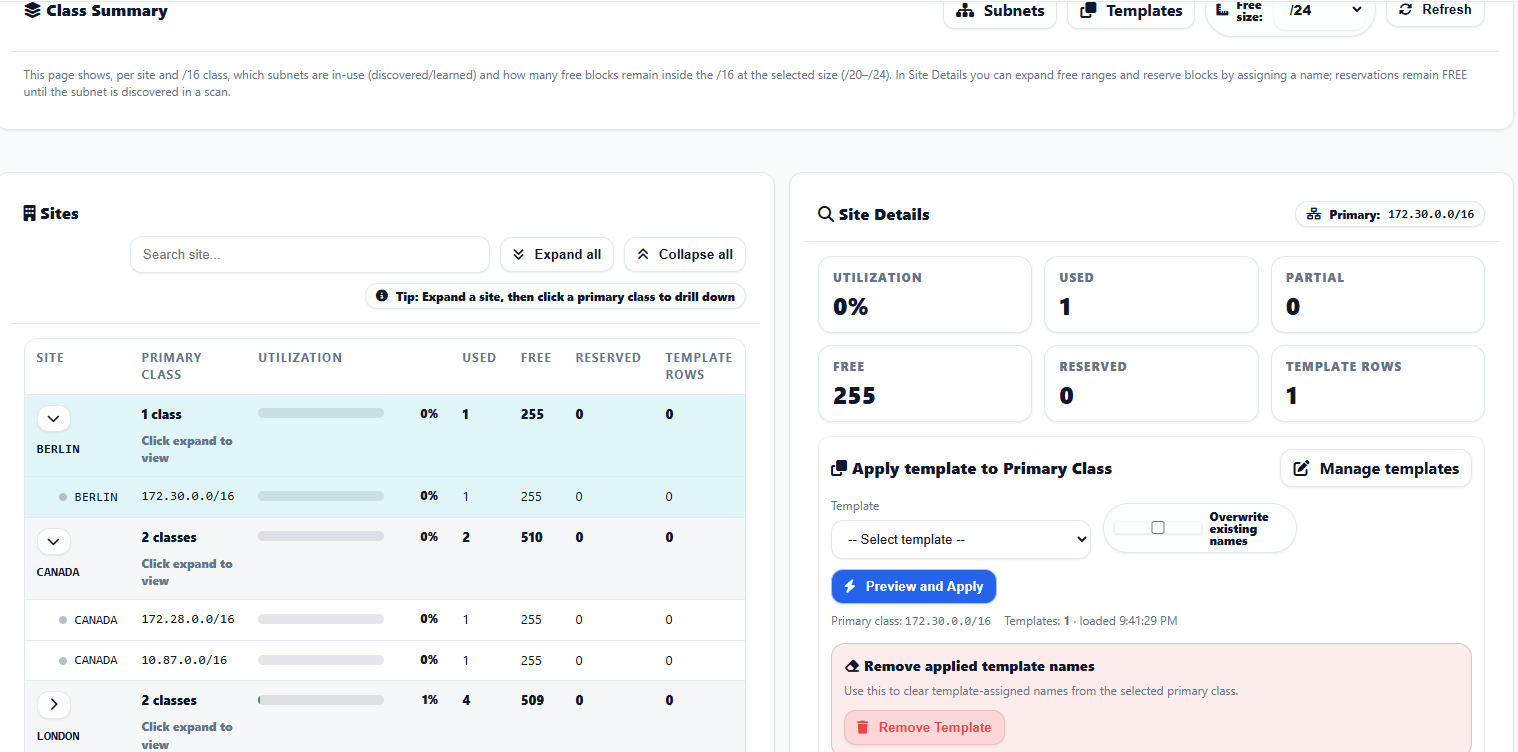
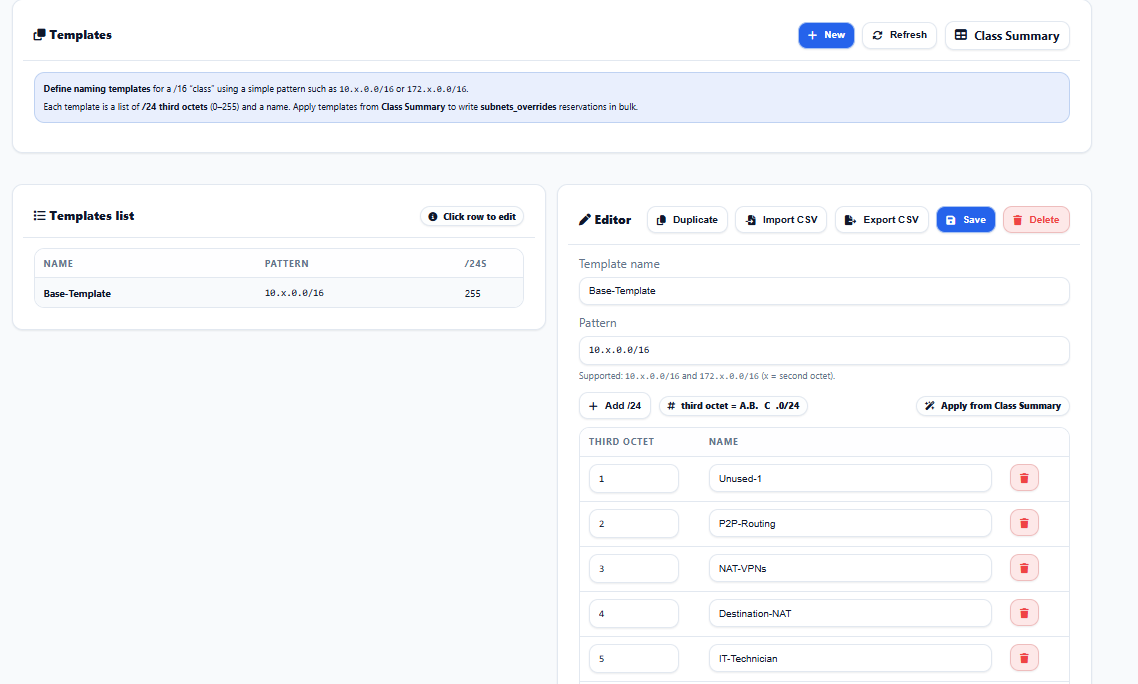
A planning-oriented view for reasoning about reservations, structure, and organization above individual subnet records.
Validates CIDR input and confirms addressing outcomes before changes are applied elsewhere in the system.
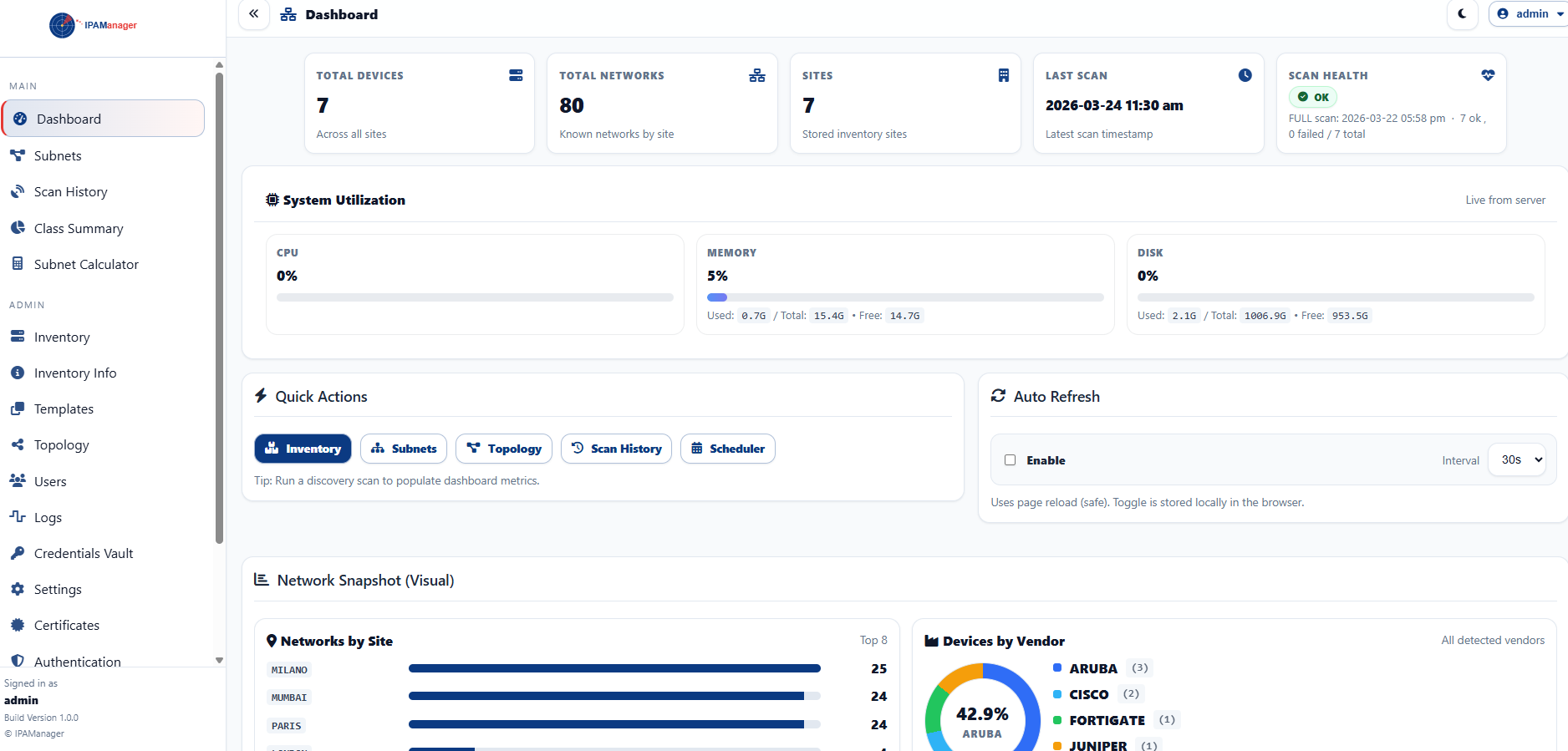
The operational home screen used to move quickly into addressing, discovery, inventory, and administration tasks.
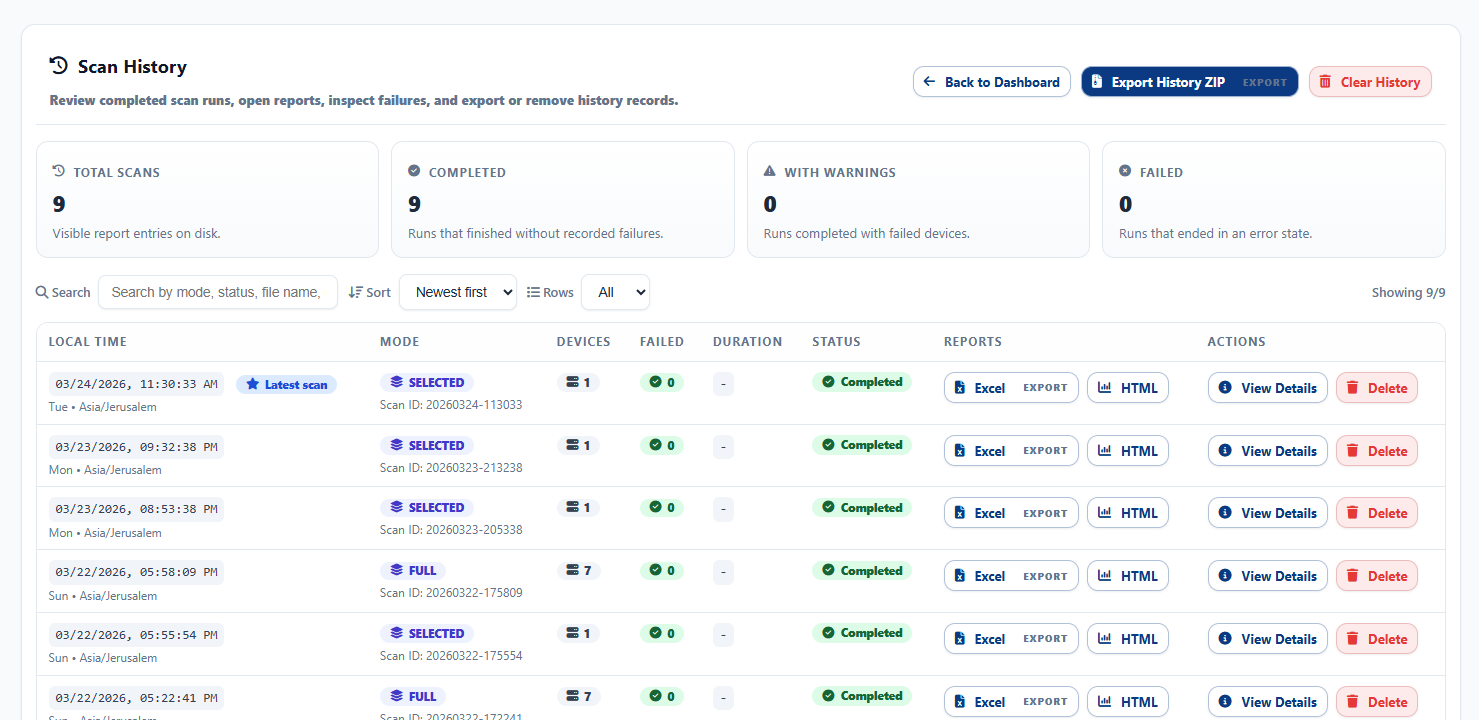
Provides historical discovery context so administrators can confirm completed work, narrow review to a specific event, and inspect detail with better traceability.
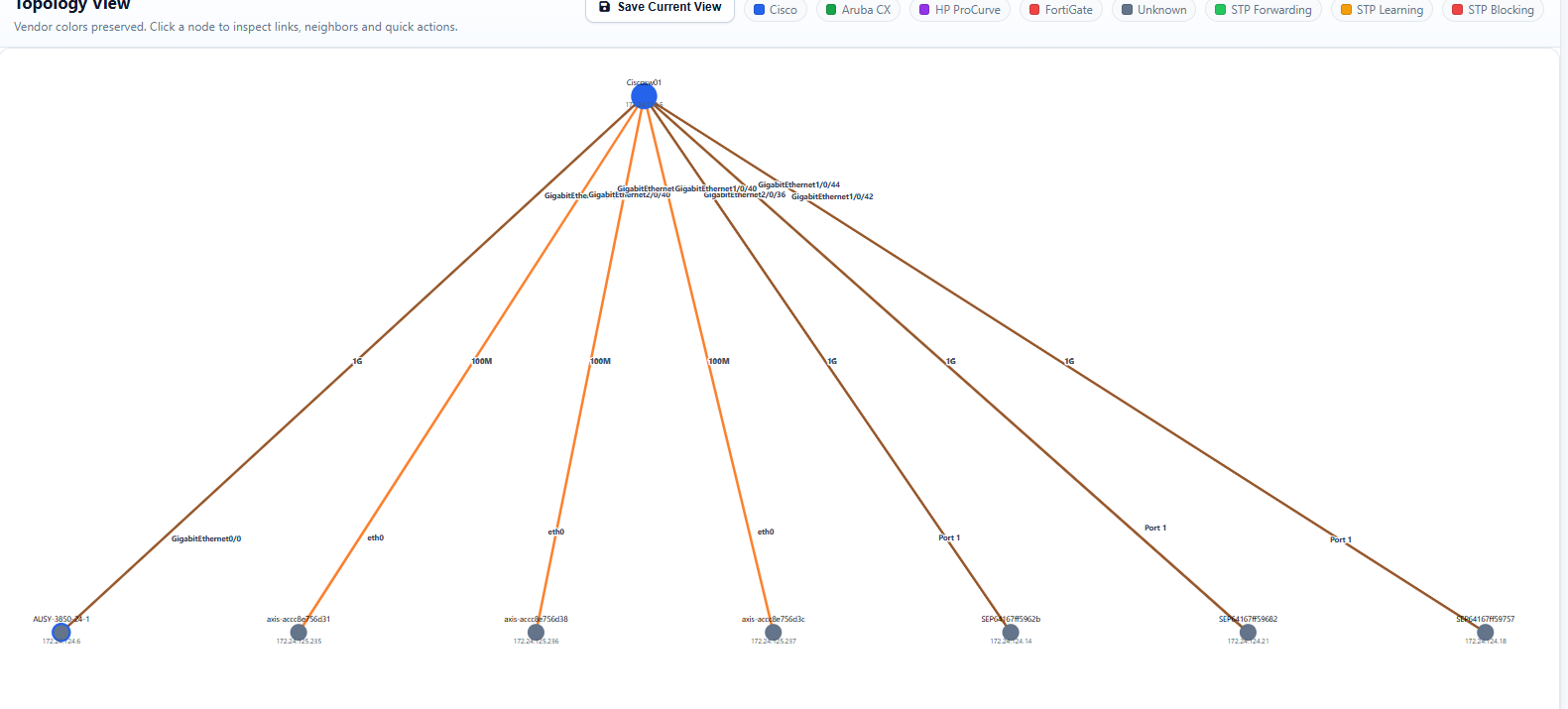
Supports visual review of infrastructure relationships, making network context easier to inspect and communicate during operations.
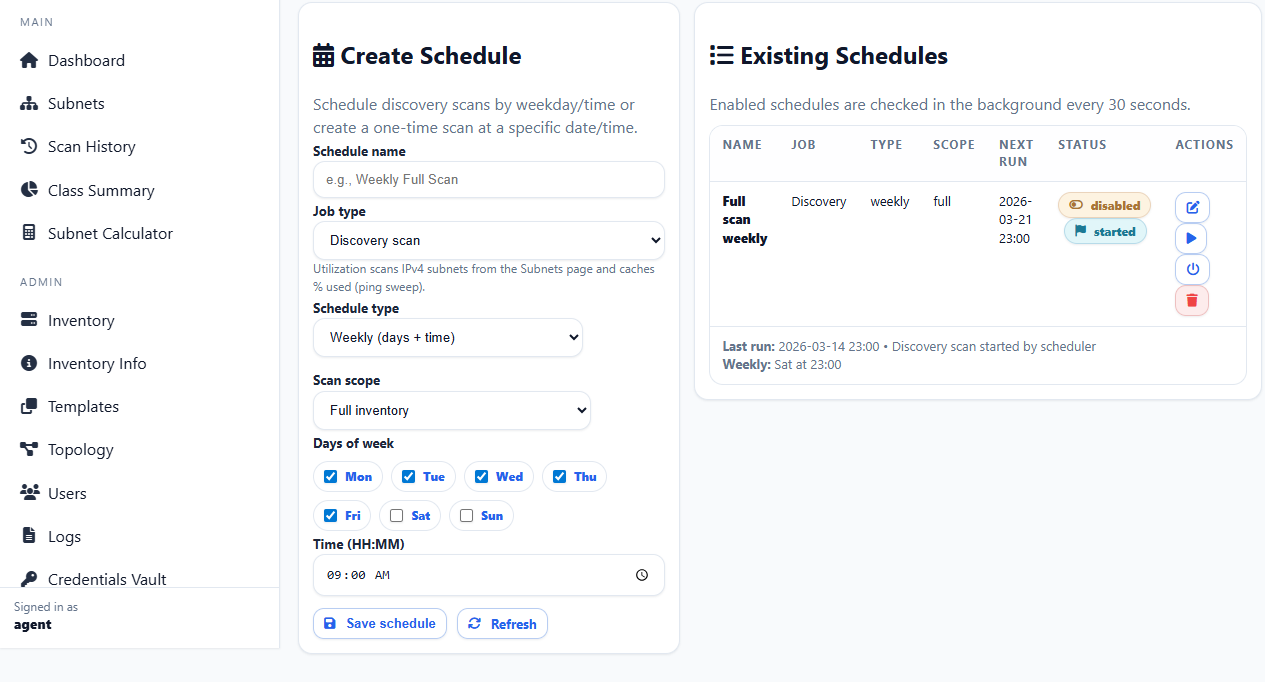
Turns discovery into a repeatable managed process so administrators can maintain coverage without relying on manual memory.
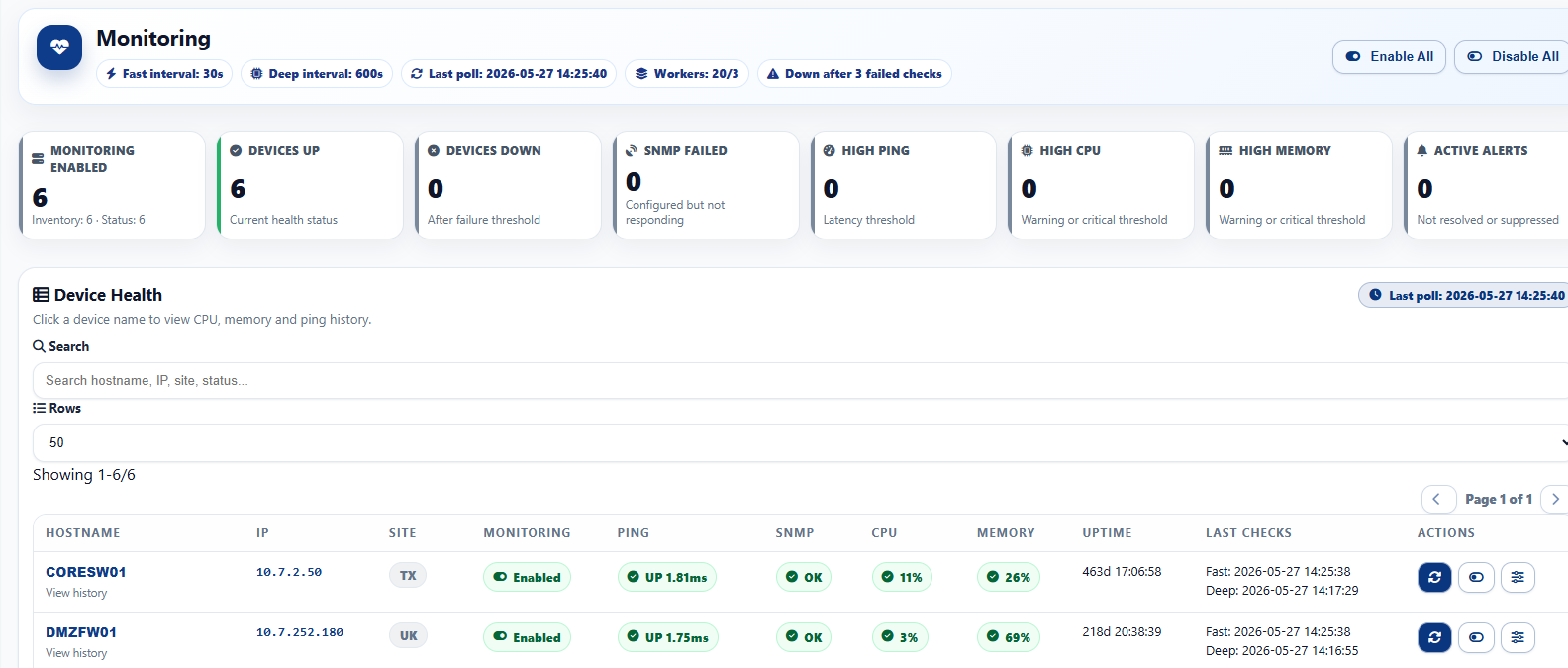
Network monitoring is included as a supporting operational layer inside IPAManager. The monitoring page adds practical device health visibility, ping availability checks, SNMP reachability context, latency awareness, CPU and memory indicators, active alert review, and recovery visibility in the same administration workspace used for IPAM, topology, inventory, and discovery.
Review monitored devices with current ping availability, latency, SNMP status, CPU usage, memory usage, uptime, and last-check timestamps.
Track unresolved and recovered conditions such as device down, high ping latency, SNMP failure, high CPU usage, and high memory usage from the monitoring workspace.
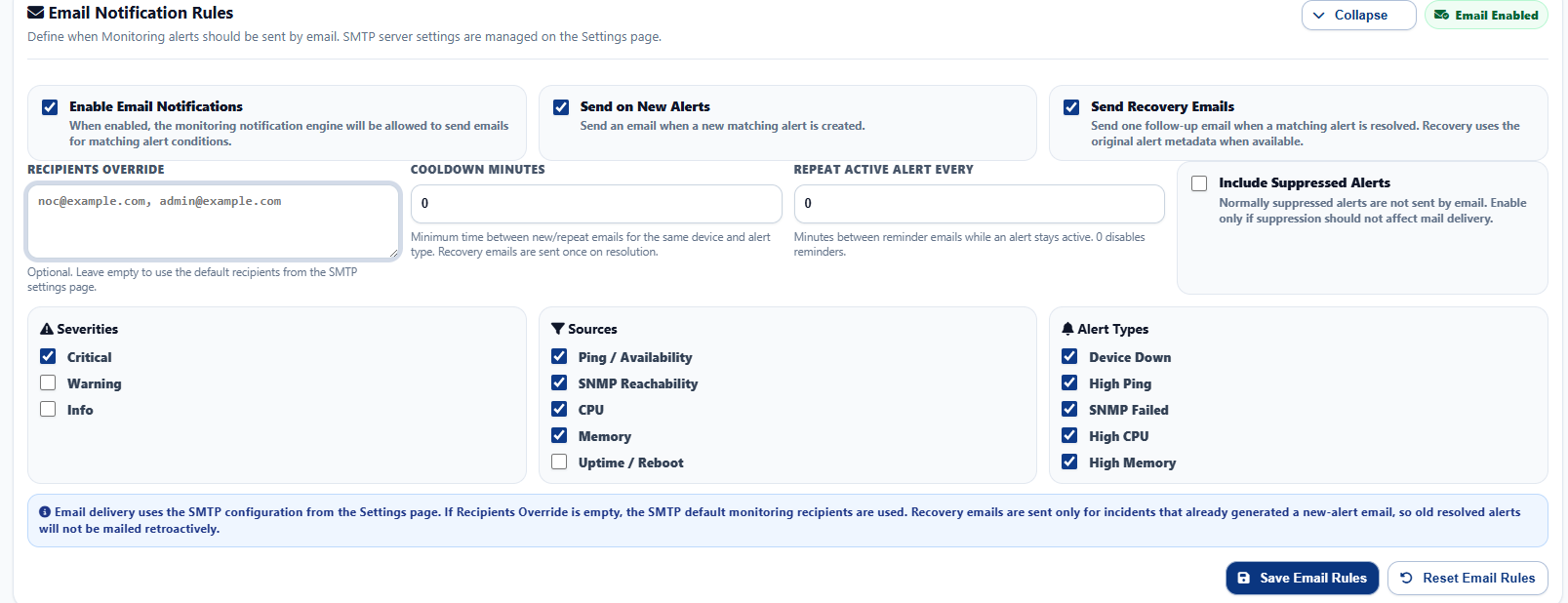
Control when alert emails and recovery emails are sent, including severity filters, source filters, alert type filters, cooldown timing, and recipient override behavior.
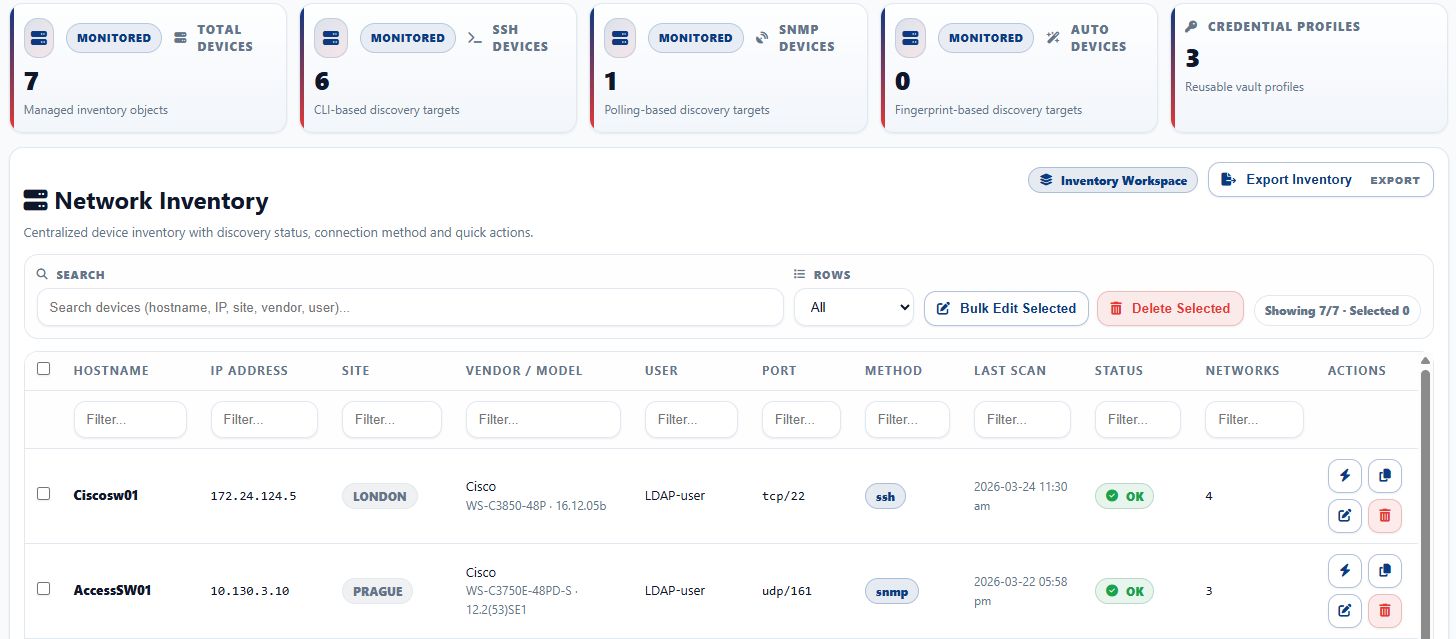
Supports structured review of discovered or maintained asset information as part of broader operational oversight.
Offers deeper detail where supporting context is needed before action, export, or operational review.
Standardizes repeated patterns and reduces manual inconsistency across the environment with reusable definitions.
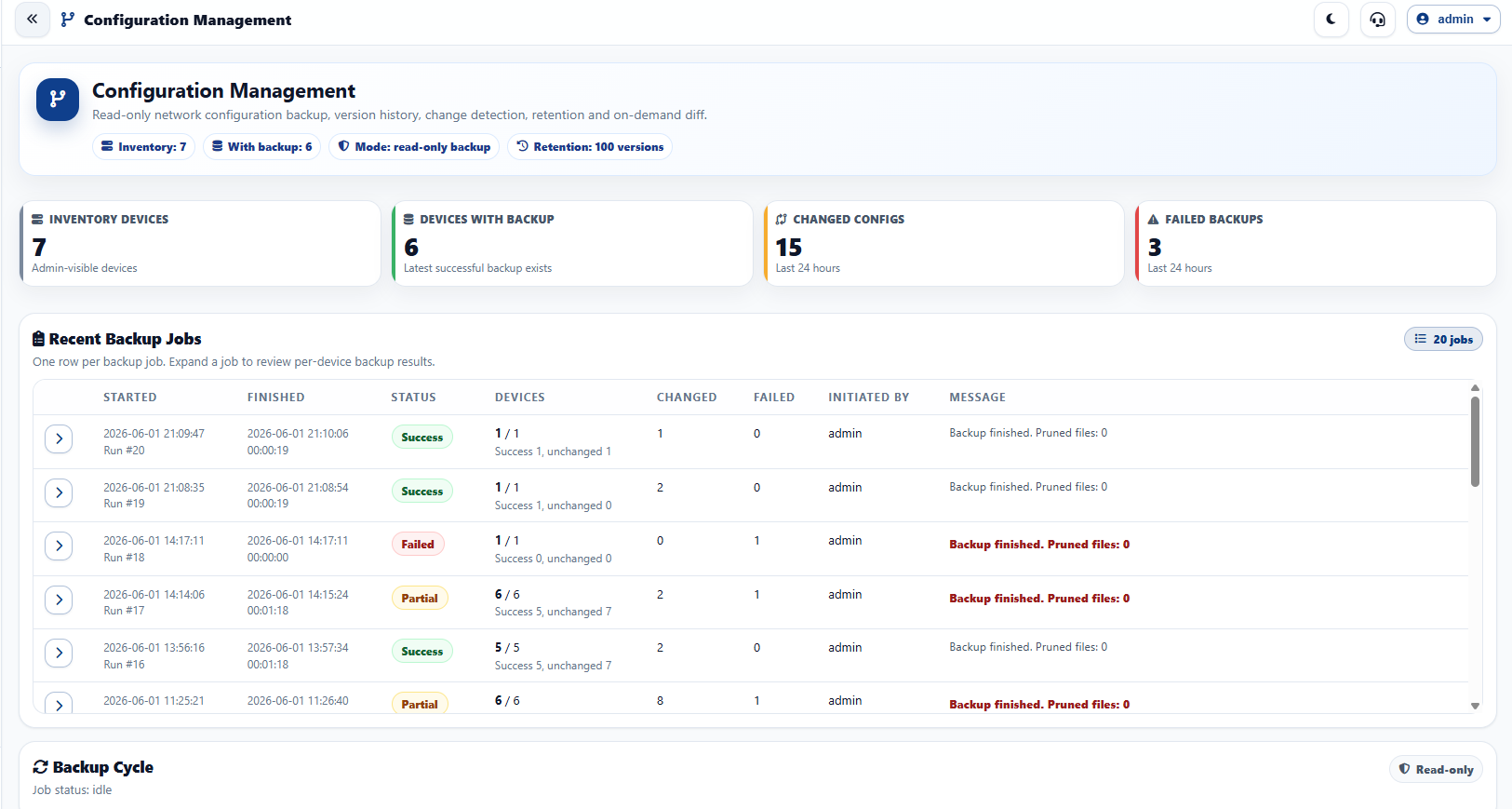
Config Management extends IPAManager with network configuration backup, backup job review, successful backup version retention, and configuration version comparison for managed routers, switches, firewalls, and other supported network devices. It is designed to keep configuration history available inside the same operational workspace used for IPAM, inventory, discovery, monitoring, and troubleshooting.
Run manual or scheduled configuration backup jobs against selected devices and keep successful backup versions available for operational review.
Review recent configuration backup activity by job, inspect execution status, and expand job details when device-level results are required.
Compare saved configuration backup versions, identify lines added or removed, and review configuration changes without leaving the administration interface.
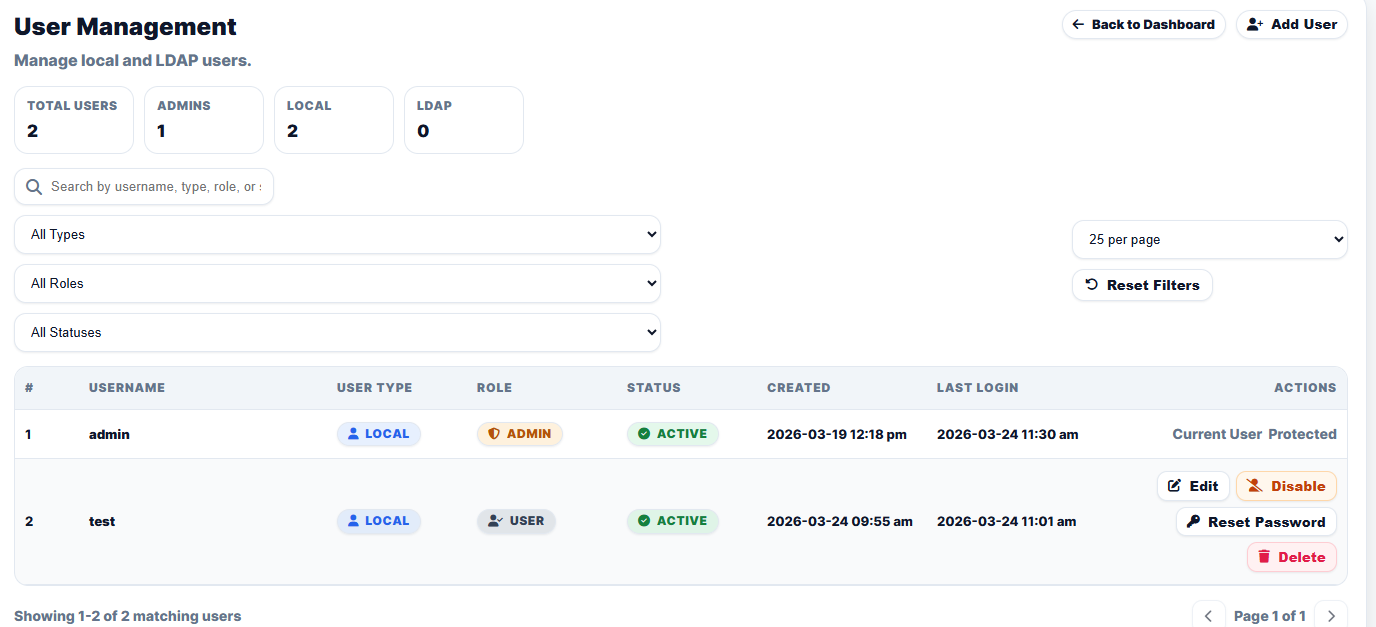
Manages who can access the platform and how administrative responsibility is distributed across the team.
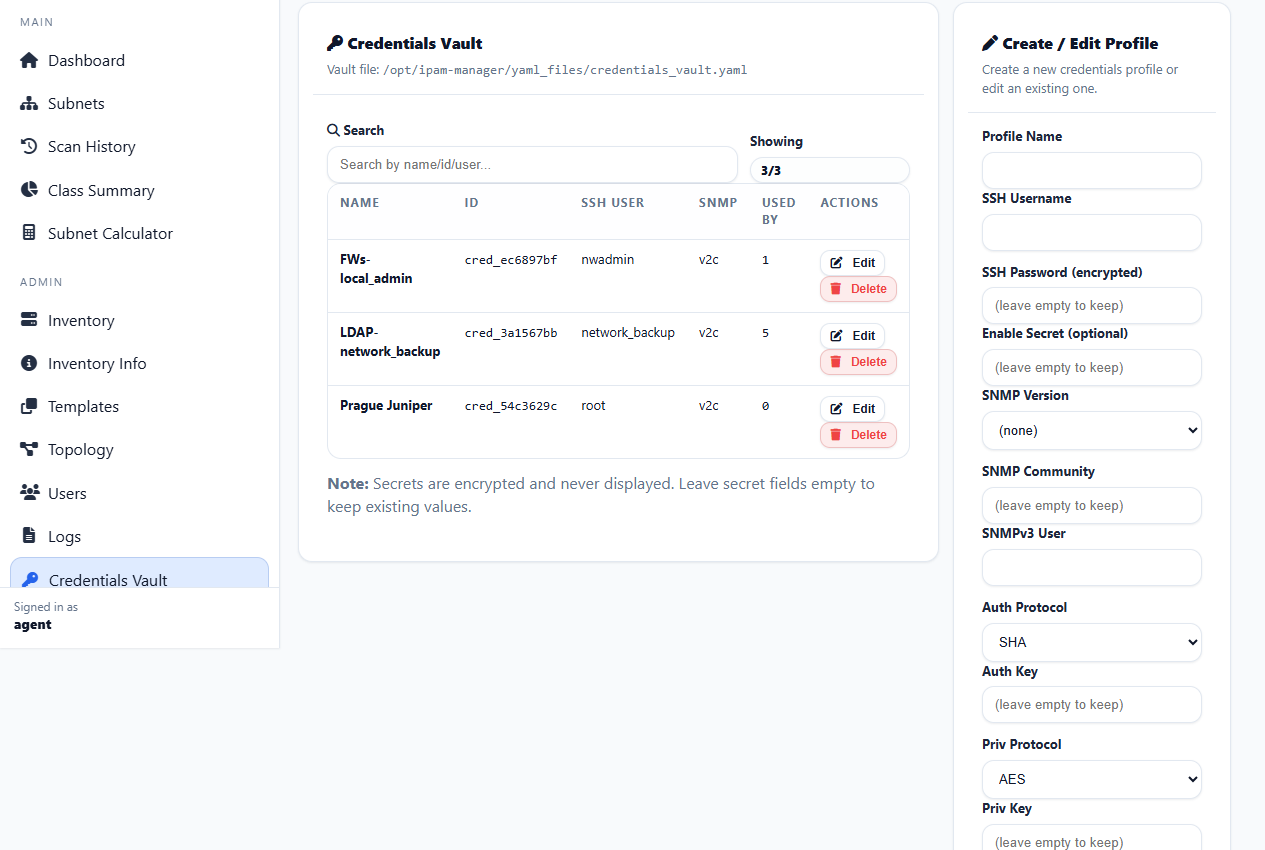
Centralizes credential material used by the platform so access-dependent workflows remain consistent and governed.
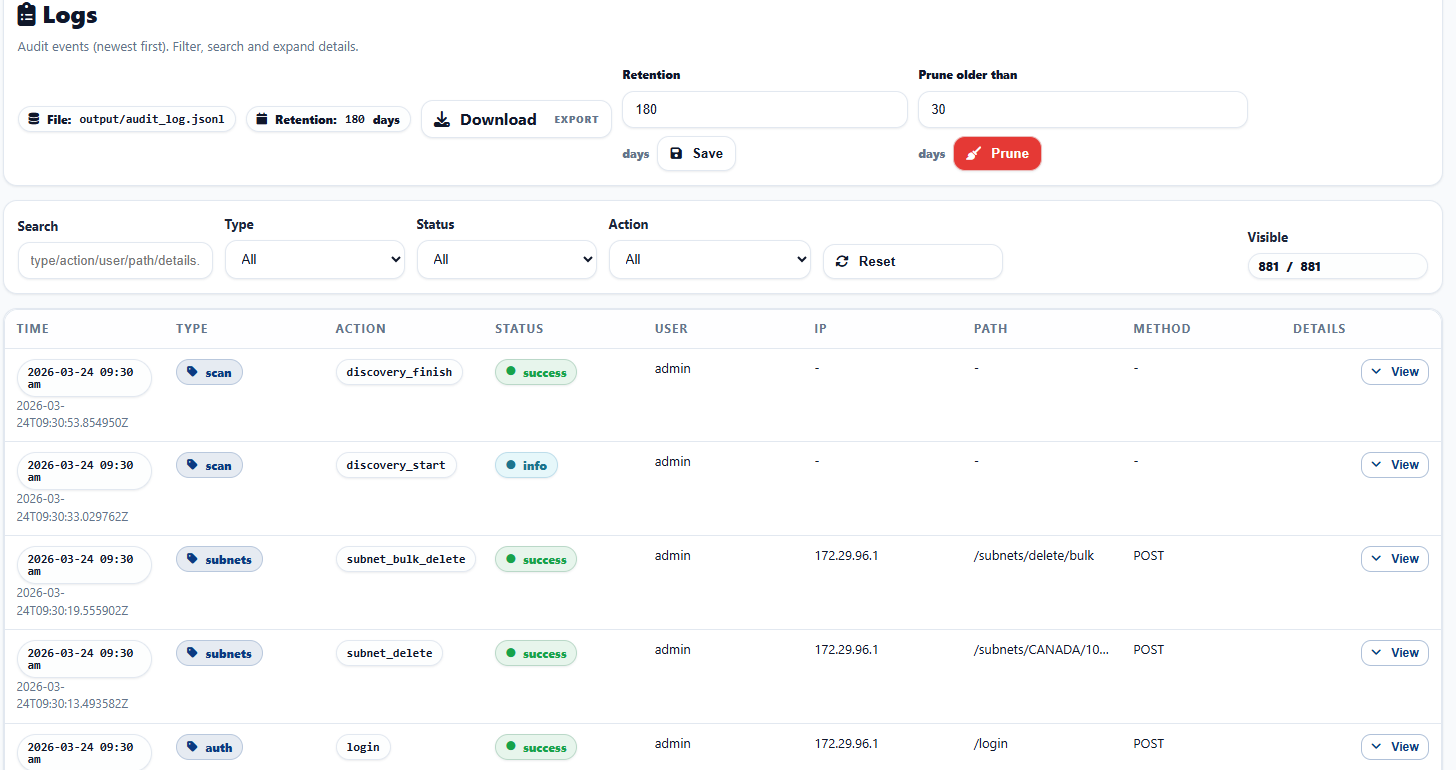
Provides direct visibility into recorded activity to support troubleshooting, review, and event context gathering.
The entry point for maintenance-oriented administration and service-level review.
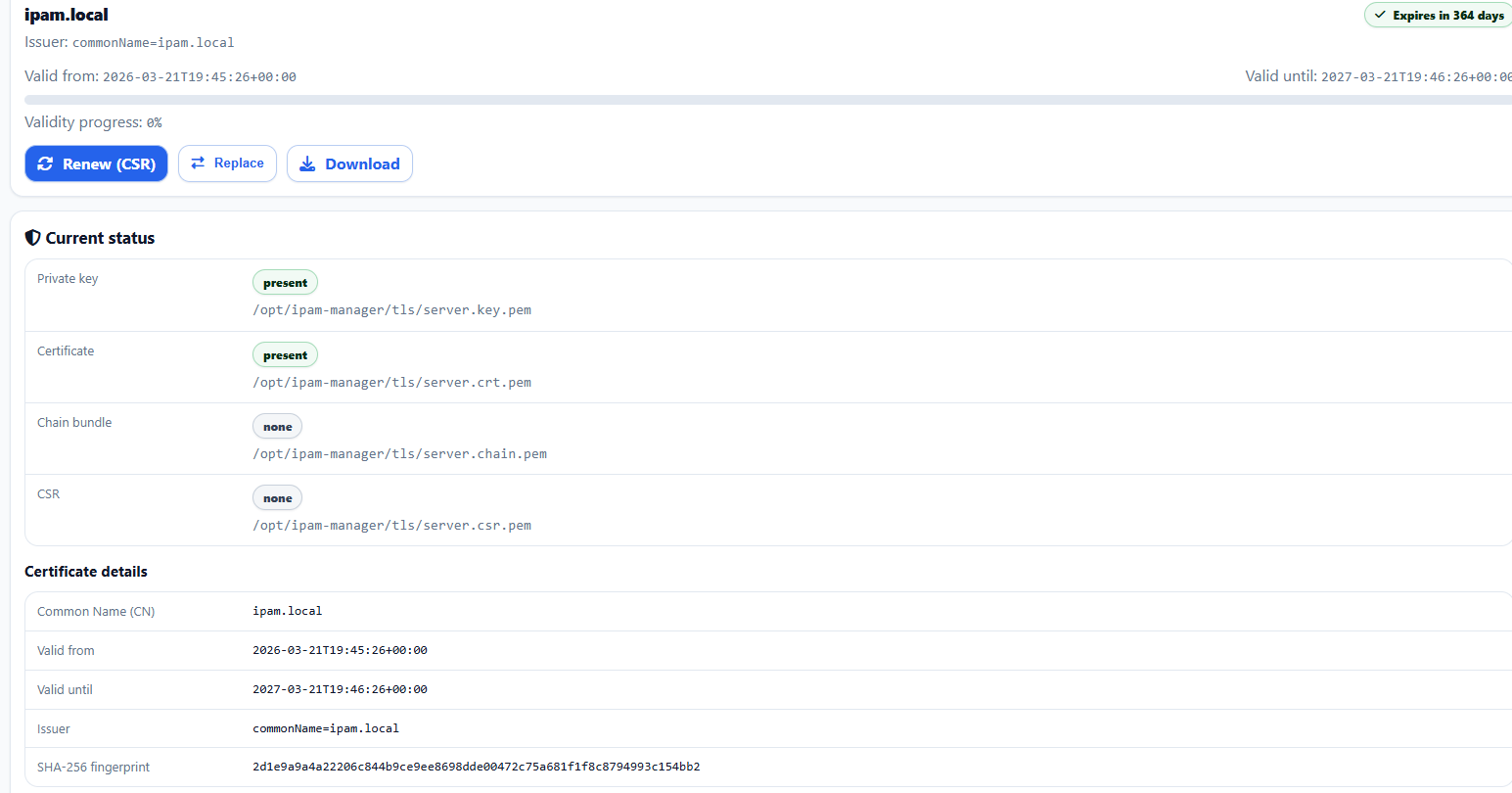
Groups trust-related workflows in one dedicated operational view for structured certificate maintenance.
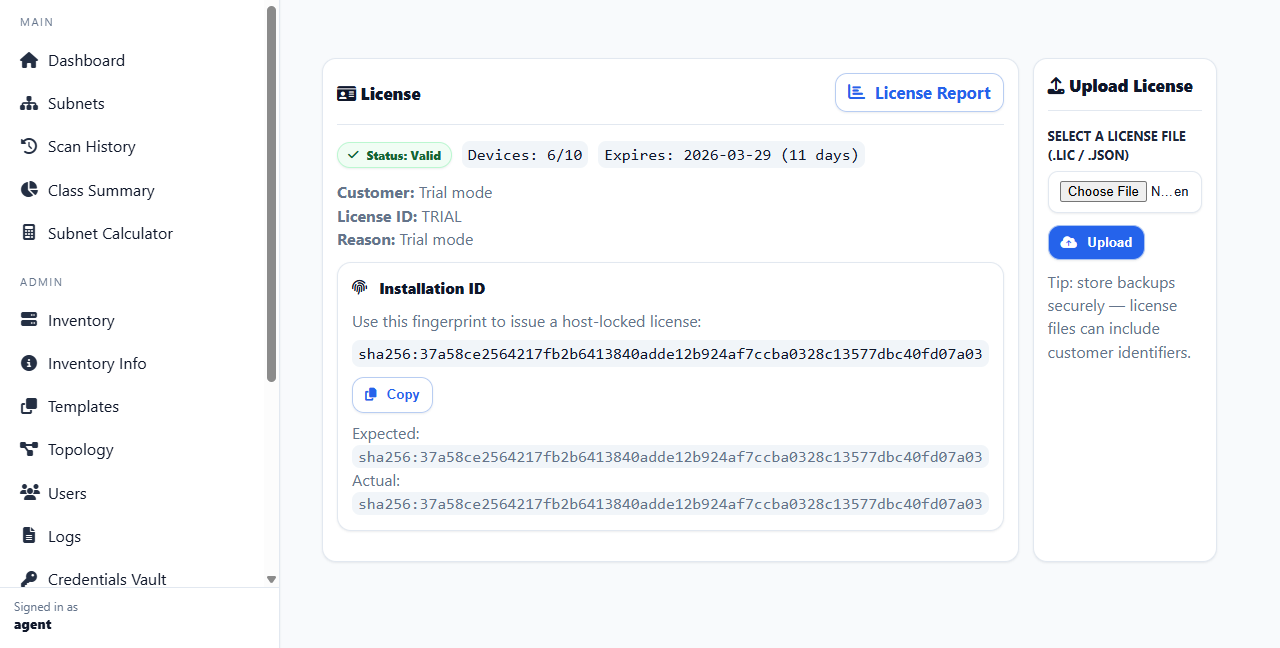
Exposes licensing state and support-related information required for ongoing administration and audit readiness.
Keeps repeatable discovery processes consistent and more operationally predictable.
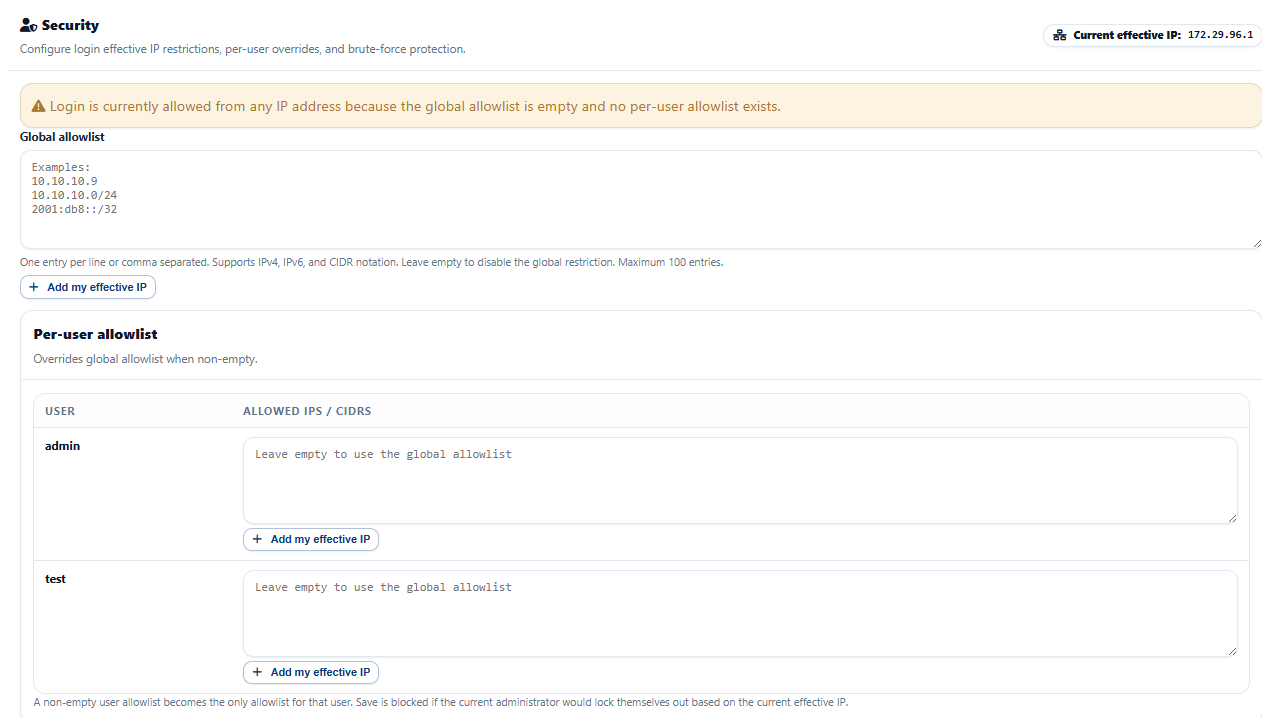
The security workspace centralizes controls that influence who can reach the login flow and how repeated failed login attempts are handled. It combines preventive controls, visibility, and validation tools in one place.
Define a global allowlist for broad policy enforcement and apply stricter per-user rules to selected accounts.
Enable lockout behavior and tune thresholds by IP address, username, failure window, and lockout duration.
Terminate inactive authenticated sessions after the configured number of idle minutes with no requests.
This release supports a focused set of network vendors and operating systems commonly used in managed switching, routing, firewall, and enterprise infrastructure environments.
Operating Systems: Cisco IOS, Cisco IOS XE
Operating System: FortiOS
Operating System: ArubaOS-Switch (ProVision)
Operating System: ArubaOS-CX
Operating System: Junos
Operating System: EOS
Operating System: Switch Engine / ExtremeXOS
Operating System: Gaia
Use the pricing page to review licensing options, then go to the download page to access the current package, installation guidance, release notes, and the full administration guide.